Creating your Polyfollow account takes less than 60 seconds. Here's how.
Step 1: Visit Polyfollow
Go to polyfollow.com and click "Log in" in the top right corner.
Step 2: Choose Sign-in Method
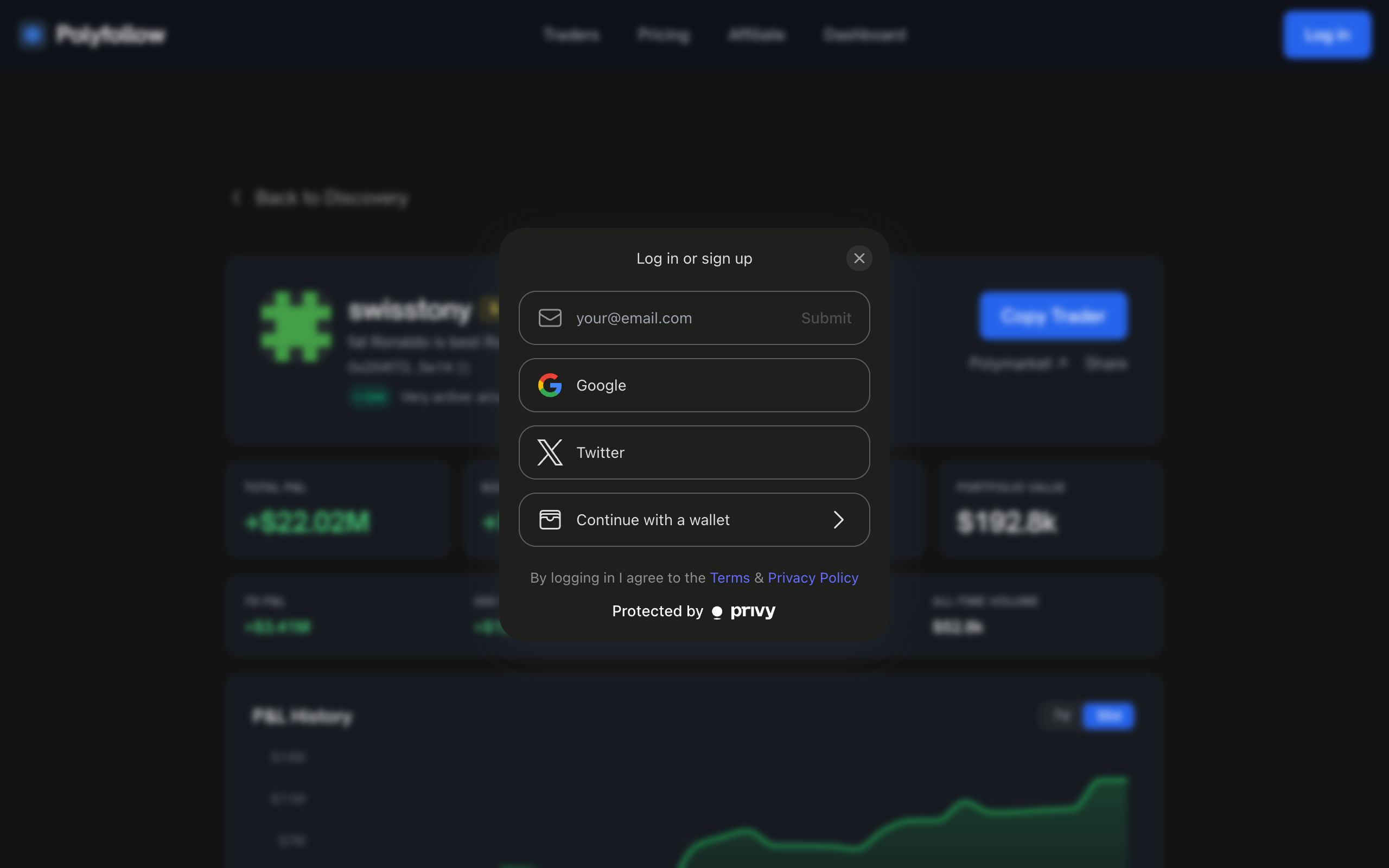
| Method | Best For |
|---|---|
| Quick signup - we send a magic link | |
| One-click if you have Google | |
| Twitter/X | One-click with your Twitter account |
| Wallet | MetaMask, Coinbase, or any Web3 wallet |
No passwords to remember - just sign in with email magic links, social accounts, or wallet signatures!
Step 3: Automatic Setup
Once you sign in, we automatically:
- Create your dedicated trading wallet
- Prepare your dashboard
You're ready to start in seconds!
What You Get
| Feature | Details |
|---|---|
| Trading Wallet | Your own Polygon wallet, with an exportable key |
| Dashboard | Real-time portfolio and P&L tracking |
Next Steps
After creating your account:
- Fund your wallet with USDC (Polygon)
- Browse the Traders page
- Copy your first trader!
Need Help?
Click Submit a Ticket at the bottom of this page to contact us. We typically respond within 24 hours.